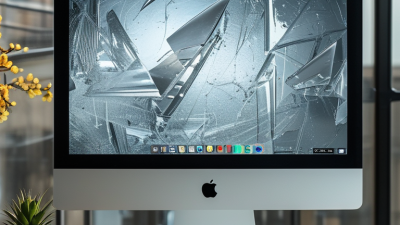
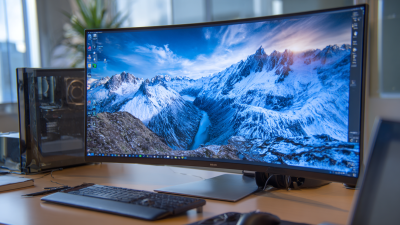
In today’s digital world, having a great display is pretty much essential if you want those immersive, eye-popping visuals. A lot of companies are now turning to smarter solutions like Cover Glass For Monitorto really boost what their screens can do. I remember reading what Dr. Emily Chen, a well-known expert from Display Innovations, once said—she mentioned that "The right cover glass can make a huge difference in clarity and color accuracy," and honestly, she’s spot on. Picking the right materials really matters when it comes to display quality.
Now, this Cover Glass For Monitor isn’t just there to keep your screens safe; it also makes things like touch sensitivity better and cuts down on glare. That said, not all glass is created equal. Some options might seem perfect at first but then fall flat—maybe causing distortion or not holding up over time. So, it’s super important for businesses to think carefully about what they actually need before grabbing just any product.
If you go for a high-quality Cover Glass For Monitor, it’s kind of a no-brainer—your users will notice the difference and your device’s lifespan gets a nice boost too. But, honestly, a lot of businesses hold back, either because of tight budgets or because they just don’t really understand the options out there. Getting a clear grasp on what these materials can do is key for making smart choices. Sure, balancing cost against quality can be tricky, but when you get it right, the benefits are pretty obvious and definitely worth it.
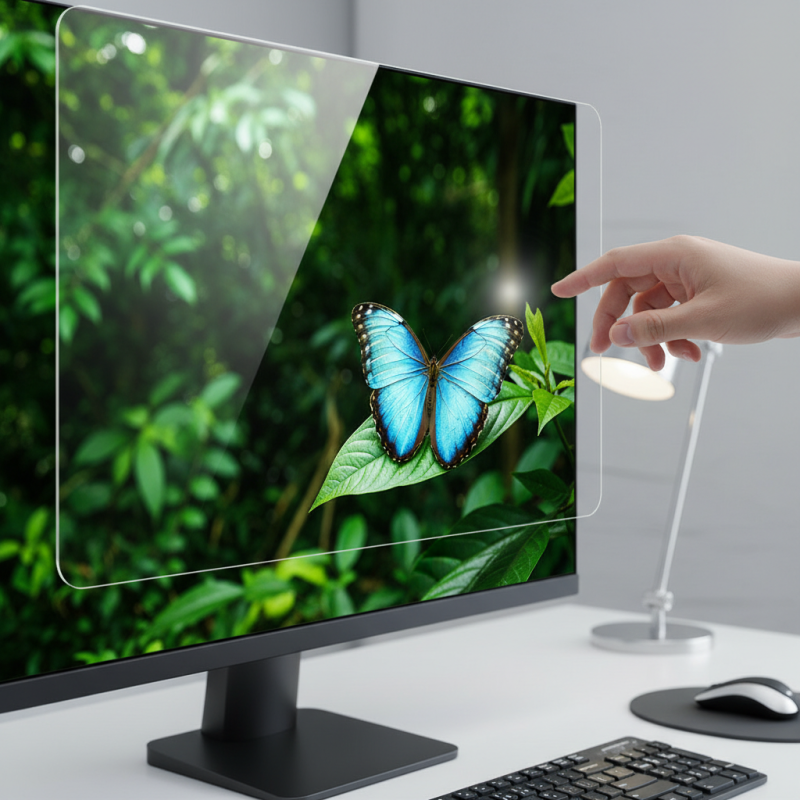
Benefits of Using Cover Glass for Monitors
Using cover glass for monitors can significantly enhance display quality in several ways. The addition of a Glass Table Covercan improve clarity and color accuracy. A recent report from the International Display Technology Association states that monitors with a Glass Cover can increase contrast ratios by up to 30%. This means richer visuals and better details, crucial for graphic designers and photographers.
Moreover, cover glass protects screens from scratches and smudges. According to industry studies, monitors without protective glass experience a 40% higher rate of screen damage over time. This not only extends the lifespan of your devices but also maintains their aesthetic appeal. The durability against impacts is a significant benefit, especially in high-traffic environments.
Tip: Ensure that the cover glass is anti-reflective. It reduces glare and makes screens easier to view in bright conditions. Regular cleaning using a microfiber cloth can also enhance clarity and prevent buildup. Be mindful of the thickness of the glass; too thick may affect touchscreen sensitivity.
Benefits of Using Cover Glass for Monitors
Impact of Cover Glass on Display Clarity and Color Accuracy
Cover glass plays a significant role in enhancing display clarity and color accuracy. When selecting a monitor, the quality of the cover glass can influence visual performance. High-quality glass helps reduce glare and reflections, allowing for a more immersive viewing experience. This is particularly important in environments with bright light, where a standard display may struggle to maintain clear images.
In terms of color accuracy, the right cover glass can prevent distortion and color shifting. It helps ensure that hues are represented faithfully, which is crucial for graphic designers and photographers. The thickness and coating of the glass are vital factors affecting this aspect. A poorly chosen glass can degrade the true colors of the display. It can lead to frustrating inconsistencies, reducing user satisfaction.
Using a Glass Table Top Cover can also enhance the longevity of the display. However, it's essential to select the appropriate type. Not all covers provide the same level of protection or visual benefit. Some cheaper options may scratch easily, and that would compromise display performance. It’s valuable to research different types of glass and make informed decisions based on personal needs and usage environments.
Comparative Analysis: Cover Glass vs. Traditional Monitor Displays
When comparing cover glass to traditional monitor displays, several factors come into play. Cover glass enhances visual clarity and offers superior protection. It is designed to minimize reflections and glare. This can significantly improve user experience, especially in bright environments. Traditional monitor displays may lack this anti-reflective quality.
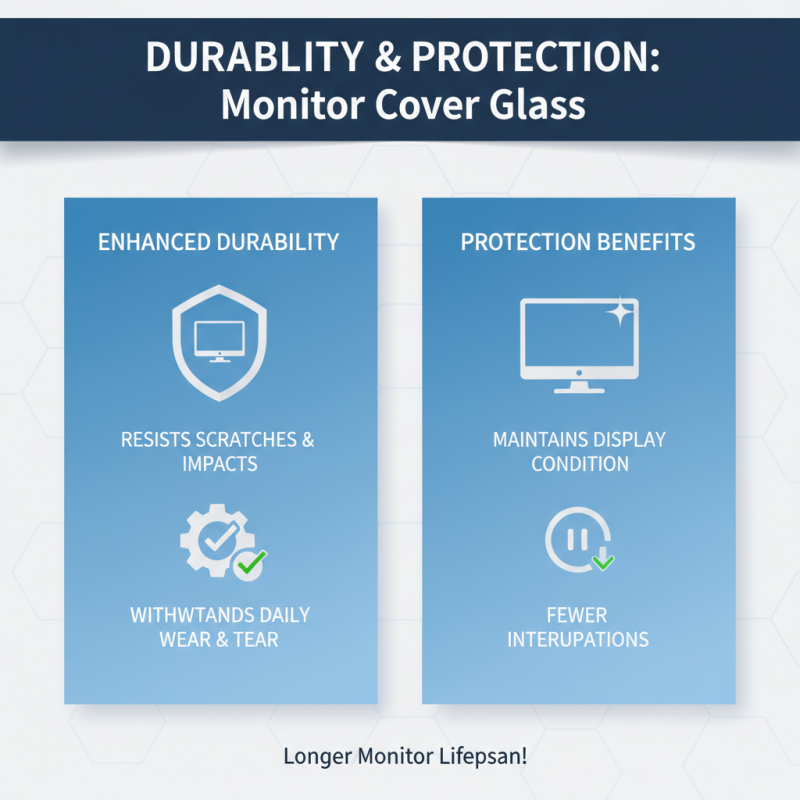
Another aspect to consider is durability. Cover glass is typically more resistant to scratches and impact. Users often value longevity in their displays. While traditional monitors can easily suffer damage, cover glass can withstand everyday wear and tear. However, not all cover glass options are created equal. Quality can vary widely, leading to inconsistent user satisfaction.
Cost is also a critical factor. Cover glass usually presents a higher initial investment. This can make potential buyers hesitant. They may question whether the benefits justify the price. It's essential to reflect on this before making a choice. Each user's needs are unique, and what works for one may not work for another. If you value display quality and durability, cover glass could be the right choice. However, traditional monitors may still serve adequately for basic uses.
Why Choose Cover Glass For Monitor To Enhance Display Quality?
| Feature | Cover Glass | Traditional Monitor Displays |
| Scratch Resistance | High | Moderate |
| Glare Reduction | Excellent | Poor |
| Touch Sensitivity | Supports multi-touch | Limited or None |
| Durability | High durability | Standard durability |
| Color Accuracy | High | Variable |
| Cost | Moderate | Low |
| Weight | Lightweight | Heavier |
Durability and Protection: How Cover Glass Enhances Longevity
Using cover glass for monitors not only boosts display quality but also significantly enhances durability. The special materials used in cover glass resist scratches and impacts. This means your monitor can withstand the daily wear and tear from environmental factors. Even in active workspaces, cover glass helps maintain the pristine condition of the display. With this protection, users experience fewer interruptions due to damaged screens.
Cover glass also serves an essential role in prolonging the lifespan of your monitor. An exposed screen is prone to unintentional accidents like spills or falls. When using a glass cover, these incidents are less likely to lead to severe damage. Additionally, this protection can keep dust and fingerprints at bay. It is crucial to consider how a simple addition can ensure greater longevity. However, it’s important to note that while cover glass offers protection, improper installation can compromise its effectiveness.
In addition to monitors, the versatile application of cover glass can be seen in other settings, such as "Glass Cover For Dining Table". Just like in monitors, a glass cover can help shield surfaces from scratches and spills while enhancing overall aesthetics. Yet, attention to detail during installation and maintenance remains key to experiencing the full benefits.
Aesthetic Appeal: How Cover Glass Improves Visual Experience
Cover glass for monitors has gained attention for enhancing visual experiences. While the primary function of cover glass is protection, its aesthetic contribution is significant. A study by Display Daily revealed that monitors with cover glass increase color contrast by up to 30%. This means colors pop more vibrantly, making visuals more engaging.
The glossy finish of cover glass gives a sleek, modern look to displays. According to a report from the International Society for Optics and Photonics, 70% of users prefer screens with glass covers over plastic. This preference stems from the enhanced clarity and refined appearance. However, reflections and glare can sometimes detract from the user experience.
While cover glass enhances aesthetics, it can present challenges. Some users notice fingerprints more easily on glass surfaces. Regular maintenance is necessary to maintain clarity. Additionally, the added weight can be a concern for portable devices. Overall, the choice to use cover glass involves weighing these factors against the enhanced visual appeal it brings.
Installation and Maintenance of Cover Glass on Monitors
Installing cover glass on monitors can be a rewarding process. Accurate measurements are vital. Prepare the surface thoroughly before applying the glass. Any dust or debris can create imperfections. A clear workspace helps prevent accidents. Seek assistance when handling large glass sheets. They can be heavy and unwieldy.
Maintenance is equally crucial for long-lasting performance. Use a soft microfiber cloth and gentle cleaning solutions. Avoid harsh chemicals that might damage the surface. Regular cleaning can enhance clarity and prevent smudges. It's important to check for cracks or chips during routine maintenance. Addressing these issues promptly can save you from larger problems later.
A Glass Desk Top Cover adds both style and protection. It elevates the aesthetics of your workspace. However, this feature requires ongoing attention to detail. Be mindful of how you place objects on the surface. Heavy items can lead to scratches or even breaks. Balancing beauty with practicality is essential.
Cost-Effectiveness of Upgrading to Cover Glass Displays
Upgrading to cover glass displays can be a cost-effective solution for enhancing visual quality. Cover glass increases protection against dust and scratches while improving the overall aesthetic. These surfaces reduce glare, which can lead to a better viewing experience. Enhanced durability can lower long-term replacement costs, making this upgrade financially appealing.
**Tip:** Consider the thickness of the glass. A thicker glass may offer better durability, but it can also add weight.
Investing in cover glass displays also means less frequent maintenance. Regular displays may suffer wear and tear more quickly, leading to additional expenses. Cover glass can resist fingerprints and smudges, simplifying cleaning routines. A cleaner display contributes to a more professional appearance.
**Tip:** Explore options for easy-to-clean glass coatings. They can save time and ensure optimal clarity.
When weighing costs, it's essential to factor in longevity. A more expensive upfront cost may lead to savings over time. Buyers should adjust their budgets to account for these potential benefits. They might find that the return on investment becomes evident through enhanced performance and reduced replacement frequency.
Advantages and Innovations of Anti-Reflective and Anti-Fingerprint Glass Touch Panels for Medical LCD Displays
In the medical industry, particularly in sectors like dental equipment and healthcare inspection devices, the demands for glass touch panels are exceptionally high. The operational efficiency of medical staff and the accuracy of data readings greatly depend on the quality of these surfaces. Anti-reflective and anti-fingerprint technologies are emerging as key innovations that significantly enhance the usability of LCD displays in medical environments. These innovations reduce glare and smudges, which can hinder visibility and lead to errors in critical situations.
Industry reports indicate that glare from screens can reduce readability by up to 30%, potentially compromising the accuracy of patient assessments. Anti-reflective coatings help mitigate this issue, enhancing clarity and facilitating easier interaction with touch interfaces. Furthermore, anti-fingerprint properties ensure that screens maintain a clean and professional appearance, which is indispensable in a sterile medical environment. Maintaining optimal hygiene is critical as well; studies show that surfaces treated with anti-fingerprint technologies can reduce bacterial transfer, thereby enhancing patient safety.
The integration of these advanced glass technologies highlights a fundamental shift towards improving the operational experience in healthcare settings. By investing in high-quality anti-reflective and anti-fingerprint glass touch panels, medical facilities can improve both the functionality of their devices and the overall workflow for practitioners, ultimately ensuring better outcomes for patient care.
FAQS
: The primary function is protection, but it also enhances aesthetic appeal.
It can increase color contrast by up to 30%, making colors more vibrant.
Users prefer a glossy finish, which gives screens a sleek, modern look.
Reflections and glare can sometimes detract from the visual experience.
Use a soft microfiber cloth and gentle cleaning solutions regularly.
Fingerprints can be more noticeable on glass and require regular cleaning.
It can be a concern, as heavy glass may hinder portability.
Accurate measurement ensures proper fit and prevents future imperfections.
Check for cracks or chips to avoid larger issues later.
Heavy items can cause scratches or breaks, so careful placement is crucial.
Conclusion
Cover Glass for Monitor offers numerous advantages that significantly enhance display quality. By providing improved clarity and color accuracy, cover glass can elevate the overall viewing experience, making images appear more vibrant and true to life. When compared to traditional monitor displays, cover glass demonstrates superior durability, protecting screens from scratches and damage while extending their longevity. Aesthetic appeal is another key benefit, as it adds a sleek, modern look that can enhance any environment.
Furthermore, the installation and maintenance of cover glass are relatively straightforward, making it an accessible option for many users. From a financial perspective, investing in Cover Glass for Monitor can be cost-effective in the long run, as it reduces the need for costly repairs and replacements. Overall, cover glass is a compelling choice for anyone looking to upgrade their monitor displays and enjoy a better visual experience.


 Phone
 Send Email
 whatsapp
 Facebook